
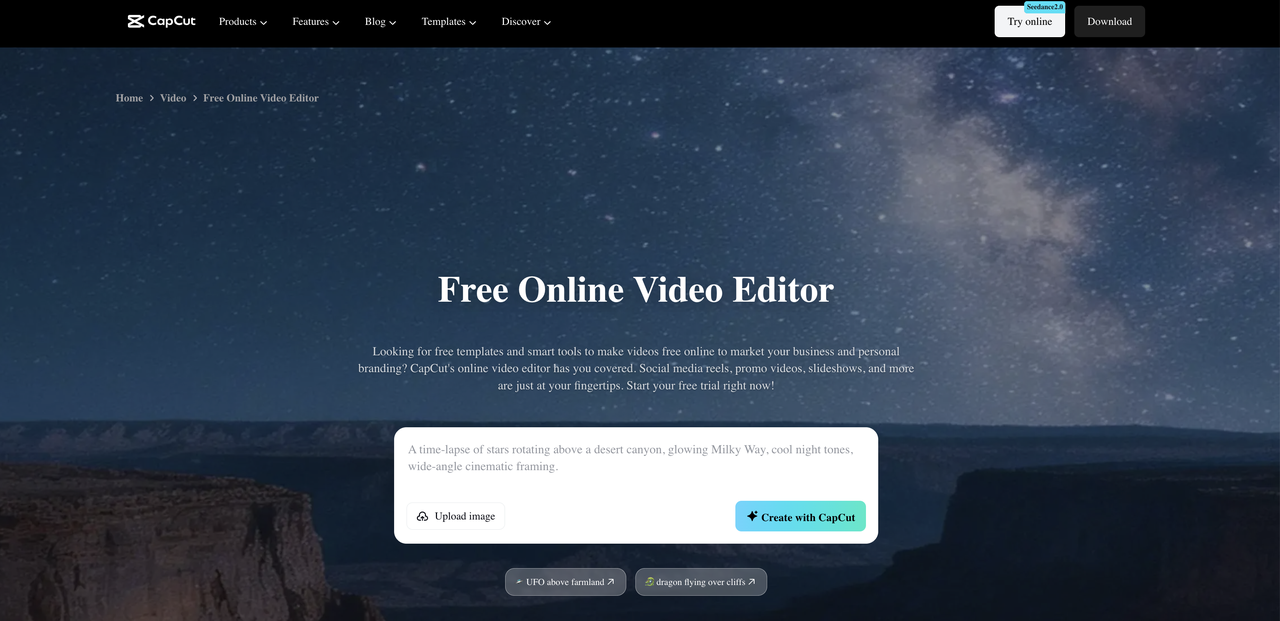
Ask anyone who has worked on a distributed team for more than a few months and they will tell you the same thing. The hardest part of remote work is not the time zones, the collaboration tools, or the occasional dropped call. It is the quality of communication itself. Unclear messages, meetings that could have been a short recording, and recordings that nobody wants to sit through because the audio is so distracting. CapCut’s online video editor is built for exactly this problem, giving remote workers a fast, browser-based way to clean up recordings, add captions, and share polished async updates without any prior editing experience.
The Async Communication Problem Most Teams Ignore
When remote teams shift from synchronous meetings to asynchronous video updates, they typically focus on the format change but not on the quality of what they are actually recording. Someone records a two-minute update from their home office and sends it to the team. But if that recording has laptop fan noise in the background, hard walls creating echo, or inconsistent volume because the speaker kept moving away from the mic, the information retention drops significantly.
People are more likely to skip through a recording, half-watch it, or ignore it entirely when the audio quality makes it uncomfortable to listen to. That means the carefully prepared update you just recorded might not be landing the way you intended. Decisions get delayed. Follow-up questions pile up. The very problem async video was supposed to solve gets worse.
The solution most people jump to is buying a better microphone. That helps, but it is not always the root of the problem and it requires everyone on the team to invest in equipment. The more accessible fix is cleaning up recordings after the fact using noise reduction tools built directly into your editing software.
What Clean Audio Does for Team Performance
When every async update your team shares sounds clear and professional, something subtle but significant shifts. People actually watch the full recording. They absorb the information on the first pass instead of rewatching confused sections. Follow-up messages asking for clarification drop noticeably. Meetings called specifically to re-explain something that got lost in a bad recording become less frequent.
Over weeks and months, those small savings compound into real productivity gains. A team of ten people each spending thirty fewer minutes per week in unnecessary clarification meetings saves hundreds of hours a year. Clean audio is not just a quality of life improvement. It is a measurable productivity investment.

For visual references that accompany your async updates, annotated screenshots and diagrams help enormously. CapCut’s online photo editor handles image cleanup and annotation quickly, letting you add labeled arrows, highlight boxes, and text overlays to any screenshot without needing any design experience. Pair a clean audio update with a sharp annotated visual and you have eliminated almost all ambiguity from your remote communication.
Setting Up a Clean Async Video Workflow
Most people overcomplicate async video. Keep it short, keep it focused on one thing, and make it easy enough to absorb that nobody needs to rewind. That is genuinely all it takes. Once you have a clean recording ready to share, do not stop at just the video. The audio sitting inside that file is useful on its own for teammates who would rather listen while commuting or making coffee than sit at their desk watching a screen. Use CapCut to extract audio from video and drop the audio-only version into your team channel alongside the video. Head to Tools in the CapCut menu, click Audio Extractor, upload your file, and download the isolated track. Thirty extra seconds of effort and one recording covers two different types of teammates.
How to Remove Noise From Videos With CapCut Online: A Step-by-Step Guide
CapCut’s noise reduction tools work entirely in your browser with no installation needed. Go to CapCut.com and log in for free to get started.
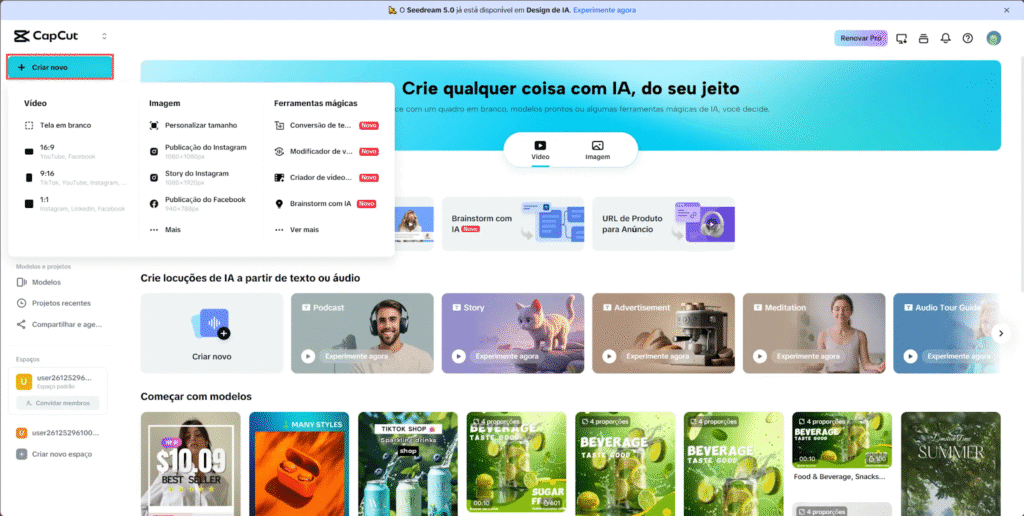
Step 1: Access the Editor and Upload Your Video
Go to CapCut.com, log in for free, and click Create New. No installation is needed as everything runs directly in the browser. Click Upload, select your video file from your computer, and drag it down onto the timeline. Your file is now ready for editing.
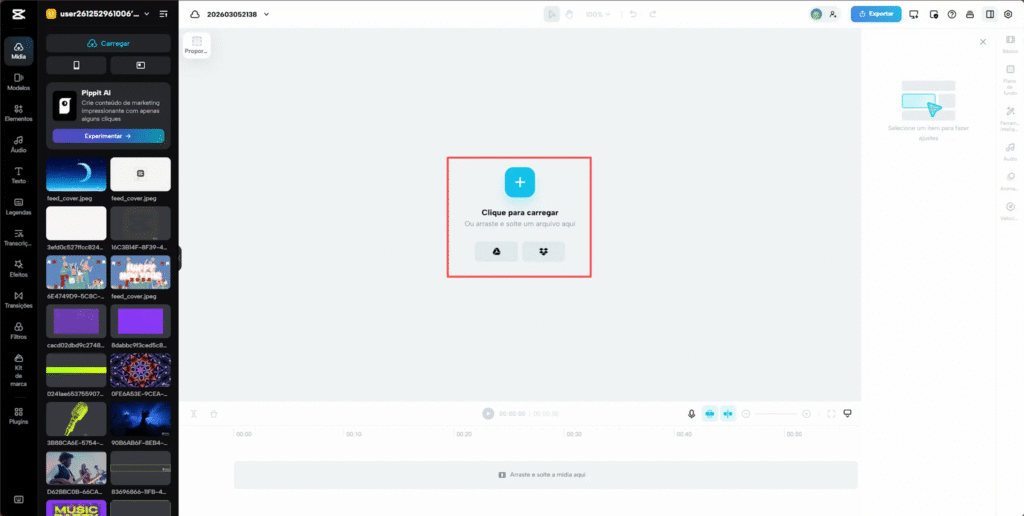
Step 2: Activate Noise Reduction and Fine-Tune the Audio
Click on your video clip in the timeline to select it. Go to the Audio panel on the left-hand side and activate the Noise Reduction option. This is where you can remove noise from video online for free with just a few clicks. CapCut’s AI intelligently identifies background sounds and preserves the main voice automatically.
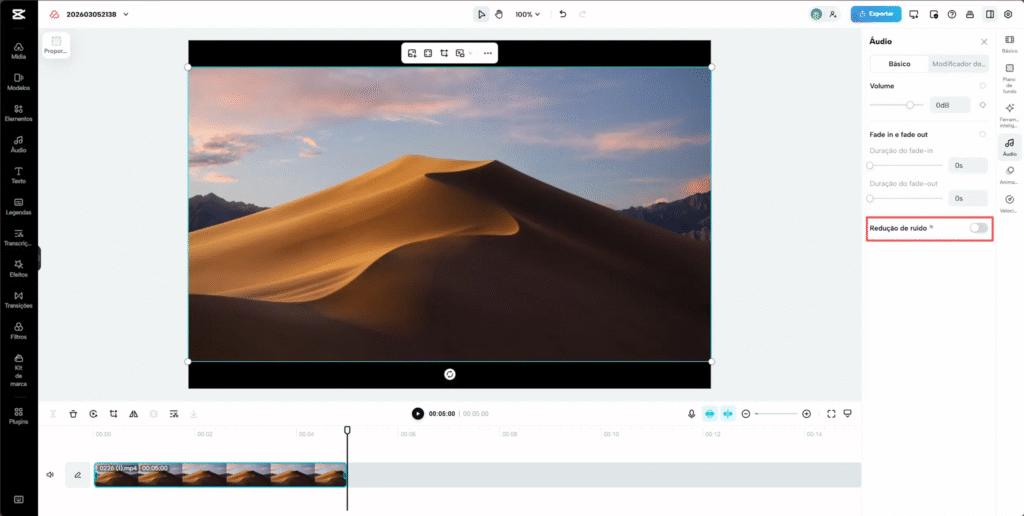
Adjust the intensity slider as needed based on your footage. For a professional result, also adjust the volume, balance bass and treble, and play through the full clip to test voice clarity. If the audio sounds distorted, slightly reduce the removal intensity to keep the sound natural.
[Image: Audio panel with Noise Reduction activated and intensity slider visible]
Step 3: Export in High Quality
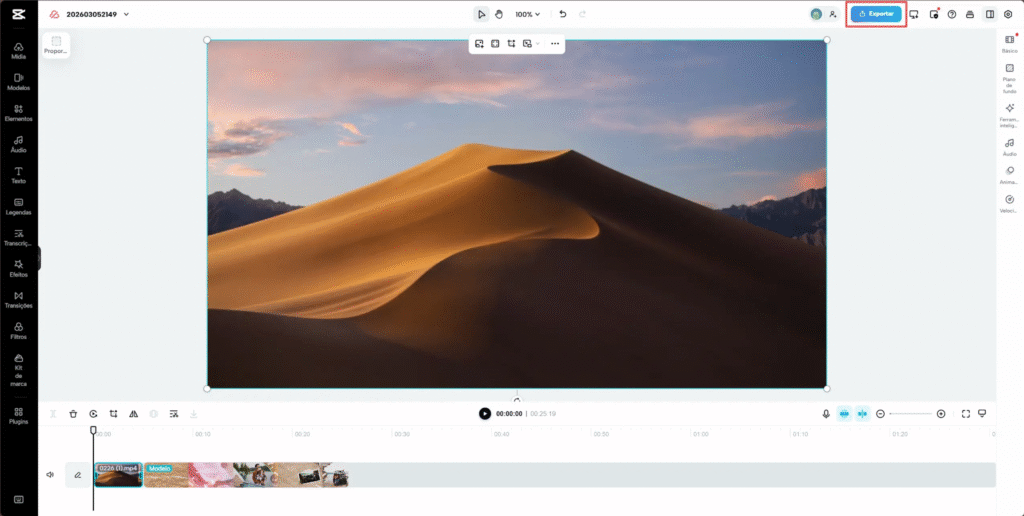
Once satisfied with the result, click Export in the top right corner. Choose your preferred resolution, either 1080p or 4K, select MP4 as your format, and click Download to save the finished video to your device. You can also share directly to TikTok, YouTube, or Instagram from the Export panel without downloading first.
The Compounding Value of Better Async Communication
When every async update on your team sounds clear and is easy to absorb on the first watch, the quality of decision-making improves across the board. Fewer follow-up messages are needed to clarify what was said. Fewer meetings are called to re-explain points that did not land in a poorly recorded update. The time saved compounds quietly across every working day until it becomes a significant cultural shift in how the team operates.
Remote work does not have to mean worse communication. With the right habits and the right tools, distributed teams can communicate more clearly, more efficiently, and more inclusively than teams stuck in an endless cycle of unnecessary synchronous meetings. The investment required is smaller than most people assume. It starts with a recording, a noise reduction toggle, and the decision to make clean communication the standard rather than the exception.
