
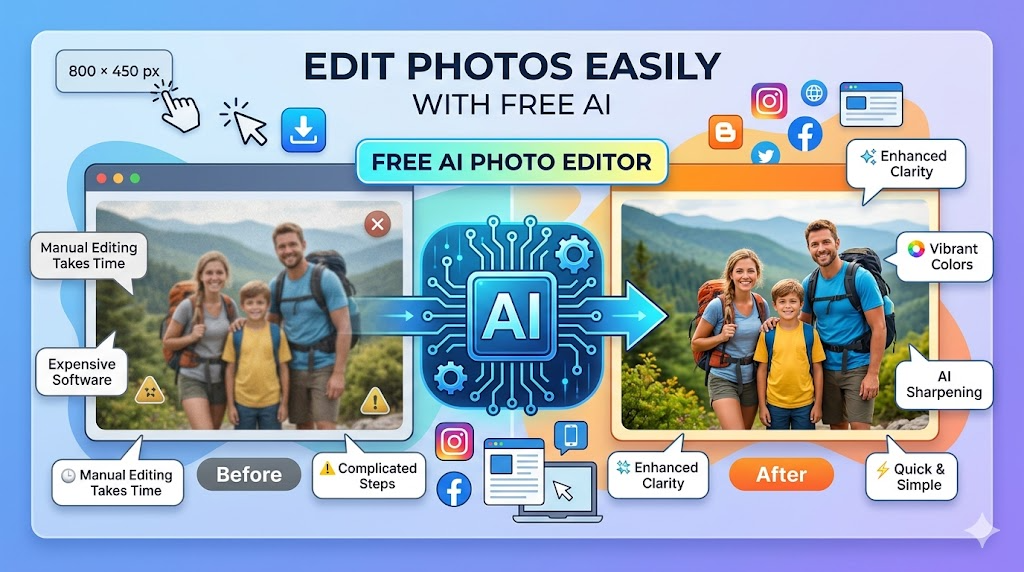
Photo editing is now easier than ever. In the past, people needed expensive software and editing skills to improve their pictures. Today, artificial intelligence has changed everything. Anyone can now enhance images, remove unwanted objects, sharpen blurry photos, and create professional-looking pictures in just a few clicks.
Many users are now searching for a free AI photo editor because they want quick results without learning difficult editing tools. Whether you are a student, blogger, online seller, content creator, or social media user, AI-powered editing tools can save both time and effort.
One of the easiest platforms to use is IObit. The company is already known for creating useful PC optimization and security tools, but it also offers a modern AI image editing solution that helps users improve photos online without complicated software installation.
In this guide, you will learn how to use a free AI photo editor step by step and discover why AI editing tools are becoming popular around the world.
What Is an AI Photo Editor?
An AI photo editor is an online tool that uses artificial intelligence to improve images automatically. Instead of manually adjusting brightness, sharpness, or colors, the AI analyzes the image and makes improvements for you.
These tools can help users:
- Enhance low-quality photos
- Remove noise and blur
- Improve colors automatically
- Restore old images
- Increase image resolution
- Sharpen portraits and selfies
- Create professional social media photos
The best part is that most beginners can use these tools without any editing experience.
Why People Prefer AI Editing Tools
Traditional editing software often feels difficult for beginners. Many programs require downloading large files, learning advanced features, and spending hours editing one image.
AI tools solve this problem by making the process fast and simple.
Here are some benefits of using AI editing software:
1. Easy for Beginners
You do not need graphic design skills. Most AI tools work automatically after uploading a photo.
2. Saves Time
Manual editing may take hours, but AI can improve a photo in seconds.
3. Better Photo Quality
AI systems can sharpen details and improve image clarity better than many basic editing apps.
4. Works Online
Many users prefer browser-based tools because they do not want to install software on their computer.
This is why many users now look for a free AI photo editor that works online and gives fast results.
Step-by-Step Guide to Using a Free AI Photo Editor
If you have never used an AI image editing tool before, do not worry. The process is very simple and beginner-friendly. Below is a complete guide based on the actual interface shown in the image.
Step 1: Open the AI Photo Editing Tool
First, open the AI photo editor in your browser. You will see a clean editing dashboard with an upload section on the right side and editing examples on the left side.
Step 2: Upload Your Photo
Click the “Add photo” box in the right panel. Select the image you want to edit from your computer or mobile device.
Step 3: Describe Your Changes
After uploading the image, use the text box that says:
“Describe what you want to change”
Here, you can type editing instructions such as:
- Change clothes to a suit
- Remove background
- Add glasses
- Change hairstyle
- Remove unwanted object
The AI will understand your request and apply the changes automatically.
Step 4: Use Quick Editing Options
Below the text box, you will see several ready-made editing buttons. These options help you edit photos faster without writing long instructions.
Available options include:
- Add glasses
- Change expression
- Change clothes
- Head tilt
- Remove object
- Remove person
- Remove text
- Body turn
- Change background
- Change hairstyle
Simply click the option you want to use.
Step 5: Choose the Image Style
At the bottom left, there is a style selection menu. You can keep the default “Original” style or choose another available style depending on your editing needs.
Step 6: Generate the Edited Photo
Once everything is ready, click the blue “Generate” button. The AI will process your request and create the edited version of your image within a few seconds.
Step 7: Download the Final Image
After the AI finishes editing, preview the result. If you like the changes, download the edited photo to your device and use it anywhere you want.
Using a free AI photo editor is an easy way to improve photos, remove unwanted elements, change backgrounds, or create professional-looking images without advanced editing skills.
Best Situations to Use AI Photo Editing
AI editing tools are useful in many daily situations.
Social Media Content
Content creators often need high-quality images quickly. AI editors help improve photos before posting online.
Online Business Products
Online sellers can make product photos look cleaner and more professional.
Old Family Photos
AI tools can restore faded or blurry pictures and improve image clarity.
Student Projects
Students can improve presentation images without learning advanced design software.
Blogging and Website Content
Bloggers frequently use AI tools to create visually appealing images for articles and websites.
Why IObit AI Photo Editor Stands Out
Many editing tools are available online, but some platforms feel slow or difficult to use. IObit keeps the process simple for beginners while still providing useful AI technology.
Some important advantages include:
User-Friendly Interface
The layout is clean and easy to understand.
Fast Processing
The AI system processes images quickly without requiring heavy software installation.
Beginner Friendly
Even first-time users can improve photos without watching tutorials.
Online Accessibility
Users can access the tool directly from a web browser.
Automatic Enhancements
The AI handles most editing tasks automatically, reducing manual work.
Because of these features, many users now prefer a free AI photo editor for quick image enhancement.
Tips for Better AI Editing Results
Although AI tools work automatically, a few tips can improve your results even more.
Use Clear Original Photos
Higher-quality original images usually produce better final results.
Avoid Extremely Dark Images
Very dark photos may lose details during enhancement.
Use Stable Internet
Since online tools process images on the web, a good connection improves speed.
Compare Before and After
Always preview the edited image before downloading.
Keep the Image Natural
Avoid over-editing if manual adjustment options are available.
The Future of AI Photo Editing
Artificial intelligence continues to improve rapidly. In the future, AI photo editors may become even more advanced and offer features like:
- Automatic background generation
- One-click portrait enhancement
- Smart object replacement
- AI-generated artistic styles
- Real-time video enhancement
As technology grows, more users will rely on AI tools instead of traditional editing software.
For beginners and casual users, AI editing already provides a faster and easier experience compared to older editing methods.
Final Thoughts
AI technology has completely changed the way people edit images online. Users no longer need professional design skills or expensive software to create high-quality photos. A modern free AI photo editor can automatically improve images within seconds and help users save both time and effort.
Whether you want to improve selfies, sharpen old family photos, create better social media content, or enhance blog images, AI tools make the process simple for everyone.
Platforms like IObit are helping users access easy and beginner-friendly editing solutions online. With just a few clicks, anyone can upload a picture, enhance it using AI, and download a cleaner and more professional-looking result.
As AI technology continues to grow, online image editing will likely become even faster, smarter, and more accessible for users around the world.
