
Instagram Stories offer a quick look at what creators, brands, businesses, and public accounts are sharing. However, when you watch someone’s Story through your logged-in Instagram account, your username can appear in the account owner’s viewer list.
Sometimes you may want to explore public content without using your personal Instagram identity. You might be researching public campaigns, following creator updates, gathering visual inspiration, or simply browsing without interacting. Browser-based Instagram viewers provide another way to access supported public content without signing into Instagram.
This guide explains how to use an Instagram viewer with Grabfy, what public content you can access, how anonymous viewing works, and the privacy and content-use considerations to keep in mind.
Step 1: Understand What an Instagram Viewer Does
An Instagram viewer is an online tool designed to display publicly accessible Instagram content outside the standard logged-in viewing experience.
When you normally open a Story while signed into Instagram, the platform can associate the view with your account. The Story owner may then see your username in the viewer list while that information remains available.
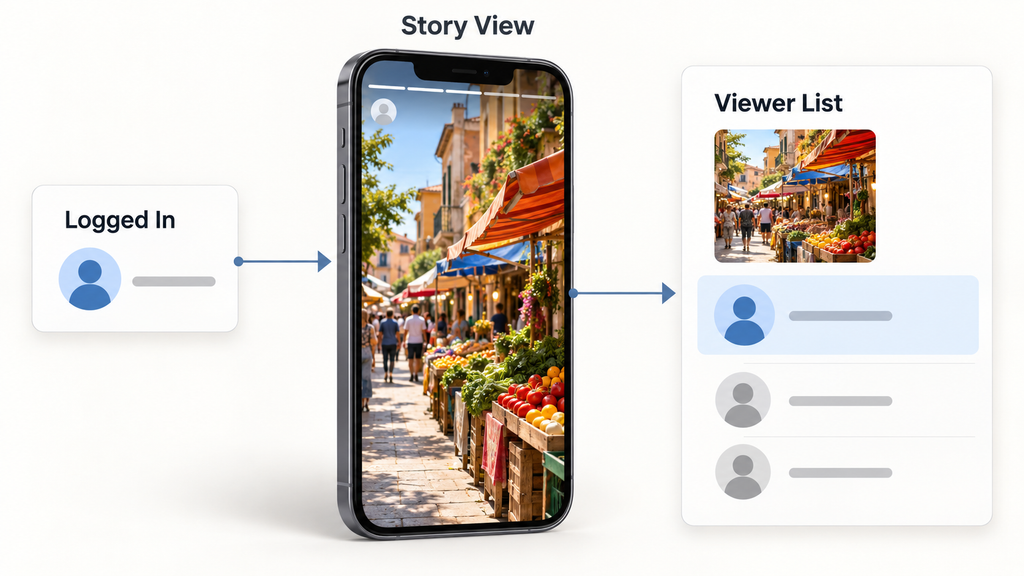
A browser-based viewer works differently. It accesses available public Instagram content without relying on your logged-in account, so your personal Instagram username is not required to start a viewing session.
These tools are intended for public content. They cannot legitimately bypass private profiles, Close Friends restrictions, or other Instagram privacy controls.
Step 2: Choose a Browser-Based Viewing Method
Start by opening a current browser on your smartphone, tablet, or computer. Chrome, Safari, Firefox, and Edge are common options.
A browser-based approach is useful because you do not need to install a separate viewing application simply to explore supported public content. You also should not need to provide your Instagram password just to look up publicly available Stories.
For users who want a straightforward place to begin, Grabfy provides browser-based tools for working with supported public Instagram content. This makes it a practical option when you want to explore Instagram media without adding another dedicated application to your device.
Step 3: Find the Public Instagram Profile
Next, identify the Instagram account you want to explore. Depending on the viewer, you may be able to search using the public username or a supported profile URL.
Make sure the profile is set to public before continuing. Anonymous viewers cannot legitimately retrieve Stories restricted to approved followers or content shared exclusively with Close Friends.
If a website claims that it can unlock a private Instagram account, approach the claim carefully. Services requesting Instagram passwords, authentication codes, or payment information specifically to bypass account privacy controls should not be treated as legitimate public-content viewers.
Step 4: Enter the Username or Supported Link
Open the viewer and enter the public Instagram username or supported URL into its search field. Submit the request and wait for the service to display any accessible content.
Results can depend on several factors. The profile must be public, the Story must still be available, and the viewing service must currently be able to retrieve that content.
Instagram also changes its systems and access restrictions over time, so a third-party viewer cannot guarantee that every public Story will always be available.
Step 5: View Public Stories Without Your Personal Account
When Stories are accessible, choose the one you wish to watch. This is the basic step people use to view Instagram stories anonymously, since you are not opening them through your authenticated account. For supported public Stories, the browser-based method does not require an Instagram login, so the viewing activity is not associated with your personal username in the same way as a normal logged-in Story view.
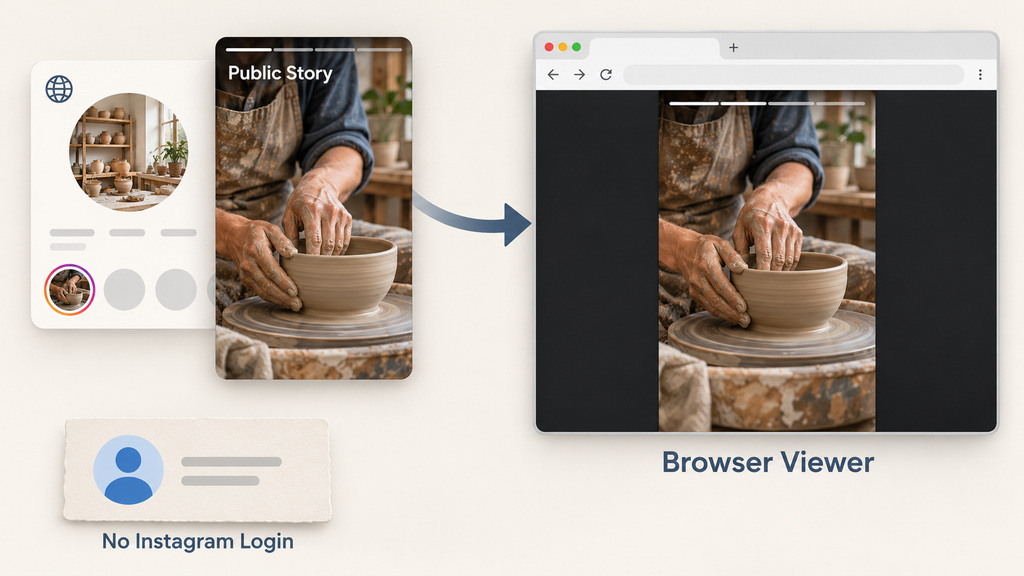
For this purpose, the Instagram Story Viewer from Grabfy provides a focused anonymous story viewer for checking supported public Story content through a browser. It is particularly useful when your goal is simply to watch Instagram stories without using your personal Instagram identity to access them.
Keep in mind that anonymous Story viewing does not mean complete internet anonymity. Privacy-oriented services may still retain limited access records, even when people view Instagram Stories anonymously. The viewing website may still process technical information such as browser details, cookies, submitted URLs, or IP-related information according to its own practices.
Step 6: Explore Highlights and Other Public Content
Instagram Highlights allow account owners to keep selected Stories visible beyond the normal 24-hour period. Some browser-based viewers may support publicly available Highlights in addition to active Stories.
This can be useful for research because Highlights often organize content around products, events, FAQs, campaigns, travel, or other recurring topics.
If a Story has already expired and the account owner did not preserve it in a public Highlight, it may no longer be available through an ordinary viewer. An Instagram viewer should not be expected to recover content that is no longer publicly accessible.
Step 7: Save Supported Content When Appropriate
Certain Instagram viewer tools also allow users to save publicly available media when downloads are supported. Depending on the service, this may include Story images, Story videos, Reels, photos, or other publicly accessible formats.
If the option is available, choose the media you want and download it to your device. On a computer, files commonly appear in the browser’s Downloads folder. On iPhone or iPad, downloads may appear through the Files app, while Android users can generally find them in Downloads or a file manager.
Downloading content does not automatically provide permission to reuse it. Saving your own Story for an archive is different from downloading another creator’s work and publishing it in an advertisement, website, or social media campaign.
Step 8: Use Instagram Viewers for Public Research
Public Instagram Stories can provide useful context for marketers, creators, researchers, and businesses. As a social media platform, Instagram gives people a public stream of Stories, Reels, and posts that can be reviewed for research.
A social media manager, for example, may review public Stories and competitor stories to observe campaign themes, promotional timing, product announcements, visual styles, or creative approaches. Reels can also help reach non-followers because Instagram’s algorithm often surfaces them beyond an existing audience. Content that is shareable and engages viewers can attract new followers, and ongoing engagement with followers improves visibility on Instagram. Creators may use public content to understand trends in typography, video transitions, photography, or storytelling.
Anonymous viewing can separate this research from your personal Instagram identity, but it does not provide private analytics, unpublished performance information, audience demographics, or restricted content.
Creative inspiration should also remain separate from copying. Public visibility does not remove the creator’s rights over original photos and videos.
Step 9: Know Which Anonymous Instagram Story Viewer Methods Are Less Reliable
Several alternative techniques are commonly discussed online, and some people create a separate Instagram page or personal or business account instead of using an independent browser-based viewer.
Creating a secondary Instagram account can keep your primary username out of the viewer list, but the secondary account’s username may still appear, and managing multiple accounts can become cumbersome when the goal is only to browse Stories or other public content discreetly.
Airplane mode is also unreliable. Instagram may synchronize activity after your connection returns, and the Story may not have loaded completely before going offline.
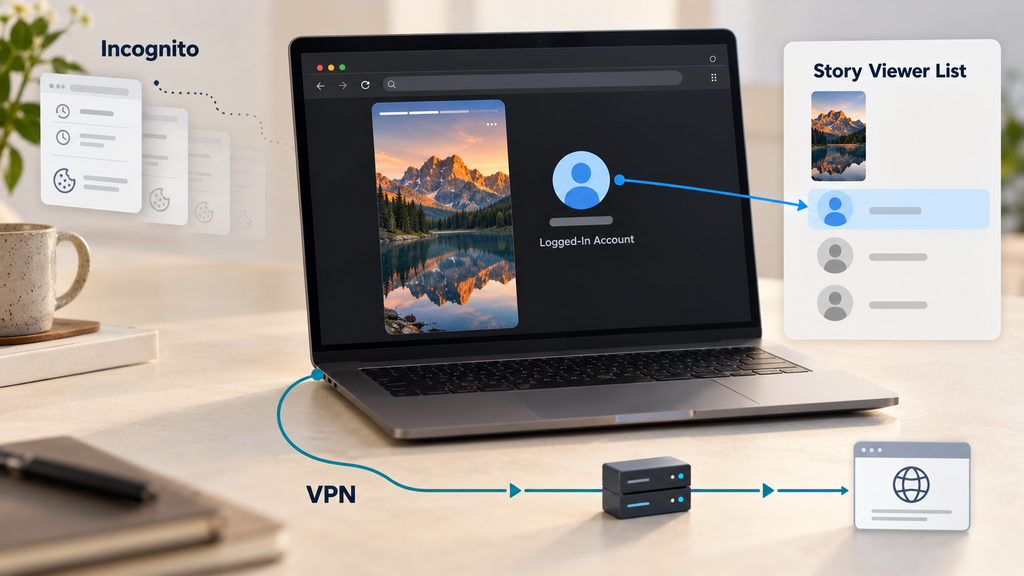
Incognito mode and VPNs serve different purposes. Incognito mode mainly limits certain information stored locally by your browser, while a VPN changes how your internet connection appears to websites. Neither automatically hides your Instagram username if you watch a Story while logged into your account.
Step 10: Protect Your Privacy While Browsing
A public Instagram viewer should not require your Instagram password simply to retrieve publicly accessible content, and any third-party app that asks for credentials for public content is a red flag.
Avoid unfamiliar login forms, unnecessary browser permissions, authentication-code requests, or suspicious downloads, and note that reputable tools typically do not require account creation for basic public viewing. Keep your browser updated and review a service’s privacy information before using it for sensitive research.
Remember that keeping your username off a Story viewer list is not the same as becoming untraceable online, and no service can guarantee complete anonymity. Browser-based viewing provides a different way to access public content, but the viewing service may still process information about visits according to its privacy practices, so review both those practices and Instagram’s terms before using it.
Use Instagram Viewers Responsibly
Instagram viewers can be useful for browsing public Stories, researching public campaigns, gathering creative references, and archiving content you are authorized to keep. Their usefulness depends on respecting the limits of public access.
Private Stories and Close Friends content remain restricted. Copyright can still apply to publicly visible media, and downloading a file does not automatically create permission to republish, modify, distribute, or commercially use it.
For everyday public-content viewing, a browser-based approach provides a convenient alternative to opening Stories through a logged-in Instagram account. Use reputable services, protect your credentials, respect account privacy, and treat downloaded media responsibly.
