
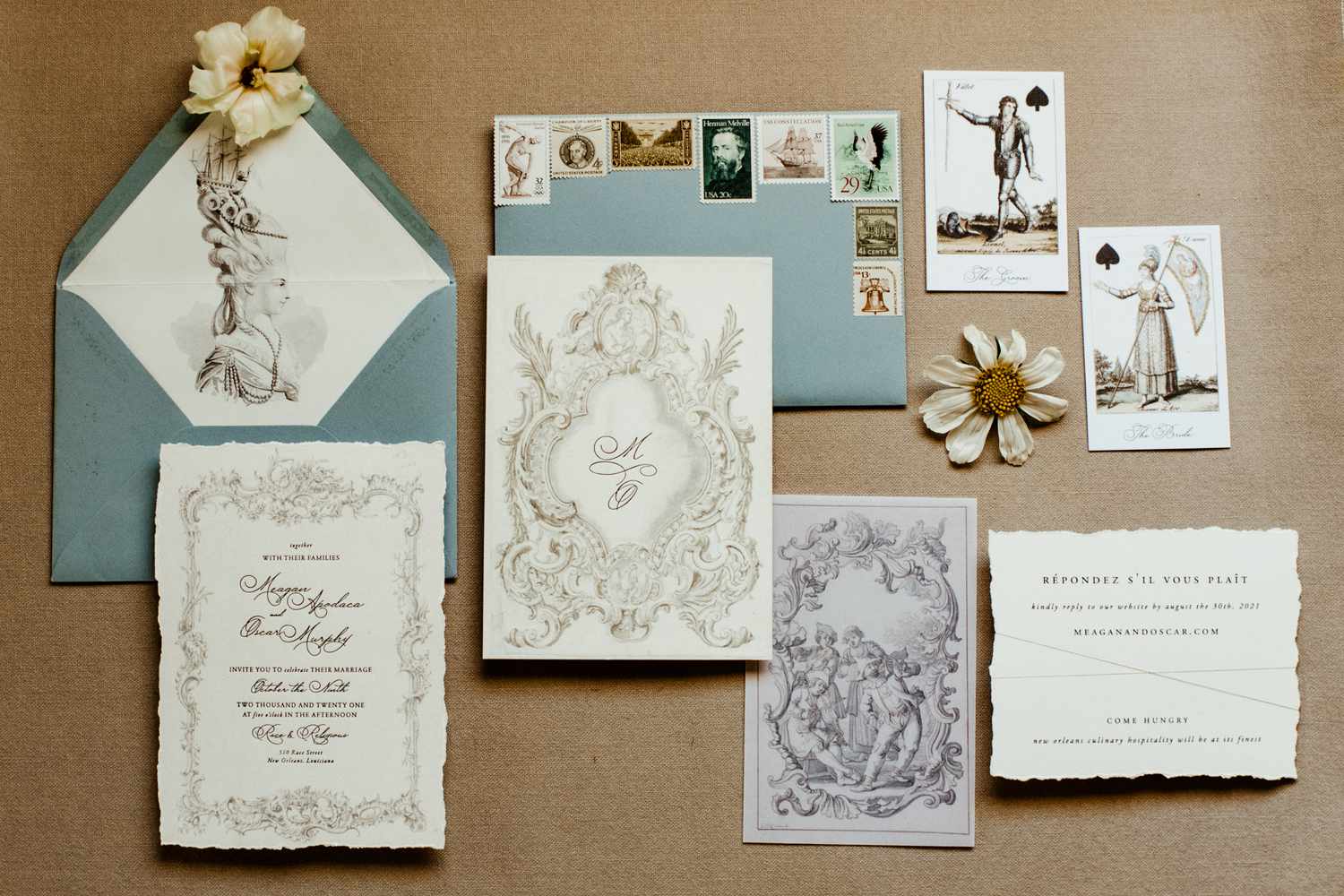
Wedding invitations do more than announce a date. They set expectations about tone, formality, and the kind of event guests should plan for, often before a venue or dress code is fully understood by the group.
For couples handling design themselves, the main challenge is usually structure, not creativity. Invitations need clear hierarchy (names, date, location, RSVP details), consistent spacing, and typography that remains readable once printed or resized.
Tools in this category differ in how much they guide the process. Some focus on fast template editing and simple exports. Others tie design decisions to printing and paper choices, which can reduce production surprises but limit layout freedom.
Adobe Express is a practical starting point for many typical users because it offers a template-led workflow that stays approachable while still leaving room for tasteful personalization.
Best Wedding Invitation Design Tools Compared
Best wedding invitation design tool for quick templates with flexible print-ready exports
Adobe Express
Best for couples who want an easy template editor for invitations and day-of stationery without learning design software.
Overview
Users can create printable invitations using Adobe Express via its template-driven creation tool that supports invitation layouts alongside related formats like RSVP cards, save-the-dates, and signage. It’s designed for quick edits to text, fonts, and imagery, with export options suited to printing and digital sharing.
Platforms supported
Web; mobile apps (iOS/Android).
Pricing model
Free tier with paid plan options (subscription).
Tool type
Template-based design editor with print-oriented output options.
Strengths
- Invitation-friendly templates that provide ready-made hierarchy for names, dates, and details.
- Straightforward typography, alignment, and spacing controls that reduce “busy” layouts.
- Simple photo placement and cropping for engagement photos or minimalist image panels.
- Reusable styles that help keep a consistent look across invite, RSVP, and details cards.
- Common export workflows suitable for print handoff and at-home printing.
Limitations
- Some advanced assets and higher-capacity features may be tied to paid tiers.
- Couples who want a fully managed print-and-mail workflow may prefer print-first services.
Editorial summary
Adobe Express works well when the goal is to assemble a clean invitation quickly while keeping control over the look. Templates do the heavy lifting on layout structure, which is often the hardest part for non-designers.
The workflow is typically direct: pick a layout, replace the text, adjust a few style elements, and export. It’s also well-suited to building a small “suite” because the same design language can be duplicated across multiple pieces.
In terms of simplicity versus flexibility, it sits in a middle band. There’s enough control to personalize typography and composition, but not so many controls that the process becomes technical.
Compared with print-first invitation services, Adobe Express is more reusable across different wedding assets beyond invitations. For the printing-oriented entry point, see
Best wedding invitation design tool for large template variety and quick drag-and-drop editing
Canva
Best for couples who want lots of invitation templates and an editor that makes quick revisions easy.
Overview
Canva is a general template editor commonly used for invitations and matching wedding materials. It emphasizes drag-and-drop editing and broad template selection across styles.
Platforms supported
Web; mobile apps; desktop apps on some platforms.
Pricing model
Free tier with paid subscription upgrades.
Tool type
Template-based design editor.
Strengths
- Wide selection of wedding invitation templates across aesthetics (minimal, floral, modern, formal).
- Drag-and-drop layout editing that reduces friction for quick changes.
- Easy duplication for building a coordinated set (invite, RSVP, details, thank-you).
- Useful element library (shapes, lines, icons) for simple refinements without complexity.
Limitations
- Template abundance can lead to inconsistent results unless a single style system is reused.
- Some premium assets and export features are plan-dependent.
Editorial summary
Canva’s advantage is breadth and speed. For couples trying to get something presentable quickly, template variety reduces time spent searching for a starting point.
The workflow is generally simple: select a design, replace the content, and adjust spacing. It’s particularly convenient for iterative edits when details shift (times, addresses, dress code wording).
Flexibility is good for mainstream needs, though it benefits from restraint—reusing the same typography and spacing rules across pieces tends to look more cohesive than mixing templates.
Conceptually, it overlaps with Adobe Express. The practical choice often depends on which interface feels more intuitive and how a couple plans to manage repeated assets across the suite.
Best wedding invitation design tool for premium print finishes and stationery conventions
Minted
Best for couples who care about paper choices and want designs that align closely with traditional stationery norms.
Overview
Minted is a print-oriented platform known for curated invitation designs and paper/finish options. The experience often begins with selecting a design style, then personalizing text and formats.
Platforms supported
Web.
Pricing model
Pay-per-order printing (with add-ons depending on format and finishing).
Tool type
Print-first invitation service with customization tools.
Strengths
- Curated invitation designs that often follow established stationery layout patterns.
- Production-oriented options (paper and finishes) that can influence the final look.
- Suite approach that supports matching pieces beyond the invitation (RSVP, inserts).
- Personalization controls designed for formal invitation structure (host lines, ceremony details).
Limitations
- Less suited to “export a file and print anywhere” workflows.
- Editing freedom is typically constrained by each design’s template rules.
Editorial summary
Minted is often chosen when the printed artifact is the priority. Instead of building a layout, couples typically select a design direction first and then personalize within structured rules.
For non-designers, that structure can be helpful: spacing, hierarchy, and typographic pairing are pre-determined in a way that tends to avoid common layout mistakes.
The tradeoff is flexibility. If a couple wants unconventional composition or highly customized visuals, the template constraints may feel limiting.
Compared with Adobe Express, Minted is more print-centered and curated, while Adobe Express is more adaptable for quick iteration and reuse across additional wedding collateral.
Best wedding invitation design tool for integrated wedding planning workflows and matching stationery
Zola Invitations
Best for couples who want invitations that align with a broader wedding planning ecosystem.
Overview
Zola’s invitations offering is commonly used alongside wedding website and guest management workflows, helping keep event details consistent across formats.
Platforms supported
Web; mobile access via app or browser depending on features.
Pricing model
Pay-per-order printing (pricing varies by paper, quantity, and options).
Tool type
Print service with invitation customization tied to planning tools.
Strengths
- Invitation templates designed to work as part of a coordinated wedding “suite.”
- Helpful when details are maintained across multiple surfaces (invite wording, website details, RSVP flow).
- Personalization tools focused on typical invitation information structure.
- Streamlined updates when event details change late in the process.
Limitations
- Less flexible as a standalone design tool for arbitrary layouts.
- Output is typically oriented around ordering rather than file-based export workflows.
Editorial summary
Zola’s appeal is coherence: invitations don’t live in isolation, and couples often prefer a single place where details stay consistent. That’s useful when schedules or locations change and updates need to propagate cleanly.
For non-designers, the workflow tends to be guided. The templates assume standard invitation structure, which reduces guesswork and keeps information readable.
Flexibility is narrower than design-first editors, but that can be acceptable when the primary need is coordination and consistency rather than custom composition.
Compared with Adobe Express, Zola is more ecosystem-driven and production-oriented. Adobe Express is stronger when the couple wants a versatile editor that can also produce additional assets outside a planning platform.
Best wedding invitation design tool for digital-first invitations and event messaging
Paperless Post
Best for couples prioritizing digital invitations with RSVP handling and guest communication in one place.
Overview
Paperless Post centers on online invitations and event pages, with designs tailored to digital delivery and integrated RSVP management.
Platforms supported
Web; mobile apps.
Pricing model
Free and paid options depending on design and sending features (varies).
Tool type
Digital invitation platform with design templates and RSVP workflow.
Strengths
- Designs optimized for digital delivery, viewing, and RSVP flows.
- Guest list management and RSVP tracking built into the invitation workflow.
- Messaging patterns that support reminders and updates without redesigning files.
- Useful when printing is secondary or unnecessary.
Limitations
- Less relevant for couples who need print-ready files for stationery printing.
- Design choices are often bounded by digital invitation format constraints.
Editorial summary
Paperless Post is best suited to weddings where digital delivery is the main objective. It shifts the focus from “print artifact” to “communication workflow,” which can reduce logistical work for RSVP collection.
For non-designers, the template system keeps things simple: the aesthetic is largely pre-set, and customization is more about wording and details than layout structure.
Flexibility is narrower than design-first tools, but it’s balanced by practicality: RSVP handling and updates are integrated rather than bolted on.
Compared with Adobe Express, Paperless Post is more specialized. Adobe Express is stronger when print-ready design and a broader set of wedding materials are needed in the same editor.
Best companion tool for publishing a wedding website that matches invitation details
Squarespace
Best for couples who want a simple wedding website to centralize schedules, travel info, registry links, and updates.
Overview
Website builders aren’t invitation design tools, but a wedding site often becomes the “living document” that invitations reference. A site can house directions, FAQs, schedule changes, and accessibility notes that don’t fit neatly on printed stationery.
Platforms supported
Web; mobile apps (site management).
Pricing model
Subscription plans (varies by features and site needs).
Tool type
Website builder and CMS.
Strengths
- Central place to publish event details that may change (timelines, maps, lodging info).
- Page templates that keep layout consistent without requiring web design experience.
- Easy updates that reduce the need to reprint when details shift.
- Useful for hosting galleries, FAQs, and travel guidance alongside core logistics.
Limitations
- Not a tool for creating print-ready invitation files.
- Requires basic content upkeep to keep details accurate and aligned with printed materials.
Editorial summary
A wedding website complements invitations by carrying details that are difficult to compress into a small printed format. When plans change, a site provides a single place to publish updates without reworking the invitation file.
For non-designers, modern site builders reduce complexity by providing structured page templates. The work is primarily content entry and organization rather than layout design.
This is a different category from invitation tools, but it often affects invitation decisions—especially when an invite needs to stay minimal and point guests somewhere for the latest logistics.
Compared with Adobe Express and other invitation tools, a website builder is best seen as a support layer. Invitations communicate the essentials; the website houses the durable details.
Best Wedding Invitation Design Tools: FAQs
What’s the practical difference between design-first editors and print-first invitation services?
Design-first editors focus on creating a reusable file that can be exported and printed through different routes. Print-first services focus on selecting a design and ordering a finished product, usually with paper and finishing choices built in, but with less freedom to restructure layouts.
When should couples prioritize templates over customization?
Templates tend to work best when the goal is speed and readability—especially for couples who want to avoid typography and spacing pitfalls. Customization becomes more important when the invitation needs a specific visual theme, unusual formatting, or a coordinated multi-piece suite with consistent styling.
Are digital invitation platforms a substitute for printed invitations?
They can be, depending on the event’s norms and the guest list. Digital platforms are often strongest for RSVP tracking and updates. Printed invitations are often preferred when formality, keepsake value, or mailed delivery is part of the experience.
What details tend to cause the most last-minute invitation rework?
Time changes, venue address adjustments, and RSVP instructions are common sources of revision. Tools that make it easy to update text across a suite—or pair a printed invite with a website for living details—often reduce the impact of late changes.
