
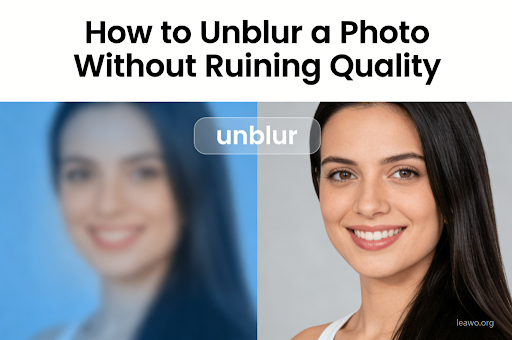
Blurry photos can ruin special moments. You capture an image and realize it is unclear. The camera moved. The focus was off. The lighting was poor. These problems happen to everyone.
The good news is simple. You can fix many blurry photos. Modern tools make this easier than ever. AI technology has improved dramatically. Professional-quality results are now accessible to everyone.
This guide will show you how to unblur images effectively. You will learn multiple techniques. Each method has specific uses. By the end, you will know exactly what to do with any blurry photo.
1. What Happens to Image Data When a Photo Blurs?
Understanding blur helps you fix it. Blur happens when image data gets mixed up. Sharp edges become soft. Details fade away. Imagine combining different paint colors.
Here is what happens during blur:
- Loss of Edge Detail: Sharp lines become fuzzy. Contrast drops significantly.
- Missing Pixels: When pixels blend, information is lost. No tool can perfectly recreate lost details.
- Compression: JPEG compression makes blur worse by removing more data.
2. Decide Before You Edit: Should You Unblur or Enhance?
Not all blurry photos need unblurring. Sometimes enhancement works better. You need to assess your image first. This saves time and produces better results.
When Clarity Works Better: Clarity adjustments add local contrast. They work great for mild softness. Use clarity for slightly hazy photos.
Hide Blur with Contrast: Adjusting brightness minimizes blur visibility. Shadows and highlights draw attention away from soft areas.
Acceptable vs Unusable: Acceptable blur has visible shapes and outlines. Unusable blur shows no clear details. These photos need retaking.
3. Automated & AI-Powered Image Unblurring
AI tools have changed photo editing. They analyze blur patterns and restore details intelligently. The technology learns from millions of images. Results often surprise even professionals. We recommend Leawo PhotoIns for AI-powered unblurring. It combines power with simplicity.
Benefits of AI Tools:
AI tools save tremendous time. They require minimal technical skill. The quality often exceeds manual editing. Most AI tools offer batch processing. You can fix multiple photos at once. This is perfect for large photo collections.
Using Leawo Photo Enlarger:
- Download and Install: Visit Leawo Photo Enlarger. Download and install the software.
- Import Photo: Launch the program. Click import. Select your blurry photo.
- Choose Mode: Select AI enhancement. Use default settings for best results.
- Adjust Settings: Fine-tune sharpness. Add noise reduction if needed. Preview changes in real-time.
- Process: Click process. The AI analyzes your photo. This takes seconds to minutes.
- Save Result: Review the enhanced image. Compare with original. Save when satisfied.
4. Traditional Manual Editing Workflows for Mild Blur
Manual editing gives more control for specific problems. Professionals often prefer this approach. You can target exact areas. You can fine-tune every adjustment.
Sharpening Filters: Use Unsharp Mask in Photoshop or GIMP. Start with low settings. Gradually increase until details look clear but natural.
High Pass Filter: Duplicate your layer. Apply high pass filter. Set blend mode to Overlay. Adjust radius to 1-3 pixels.
Smart Sharpen: Use deconvolution techniques. Select blur type carefully. Motion blur needs different settings than lens blur. This method can reverse some blur effects. Practice improves your results over time.
5. FAQs
Can you completely unblur a photo? No. Blur destroys original information. You can improve images significantly but cannot perfectly recreate lost details. AI tools come closest to restoration. They produce impressive results for most photos.
What causes photos to blur? Camera shake, poor focus, slow shutter speeds, and low light all cause blur. Subject movement also creates blur. Understanding the cause helps choose the right fix.
Are there free unblurring tools? Yes. GIMP offers sharpening filters. Online tools provide basic unblurring. However, paid tools like Leawo deliver significantly better results. They save time and produce professional quality.
How do AI tools work? AI tools use machine learning. They train on millions of sharp images. They learn to recognize patterns. When given a blurry photo, they predict what details should look like.
Does sharpening reduce quality? Excessive sharpening creates artifacts and halos. Use it moderately. Always work on a copy.
6. Conclusion
Unblurring photos requires the right approach. Understanding blur types helps you choose methods. AI-powered tools like Leawo PhotoIns and Leawo Photo Enlarger offer the easiest solution. They produce professional results quickly. Manual methods give more control for specific situations.
Start by assessing your photo honestly. Determine if it can be salvaged. Choose the best method for your needs. Remember to work on copies. Set realistic expectations about results.
With practice and the right tools, you can save many blurry photos. Your precious memories deserve to be clear and beautiful. Start unblurring your photos today and see the difference quality tools make.
Visit More : widemagazine.co.uk
