
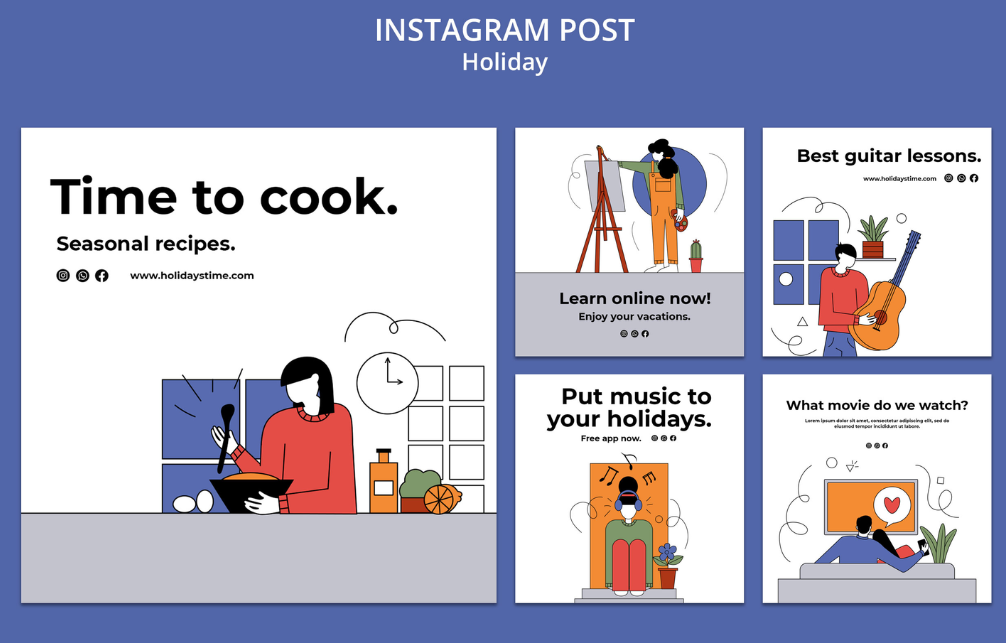
| Quick Answer: The best Instagram post makers for design, scheduling, templates, and stock graphics in 2026 are Adobe Express, Canva, Planoly, VistaCreate, Later, and Buffer. Adobe Express is the top pick, combining thousands of free Instagram post templates and Adobe Stock graphics with a built-in Content Scheduler that posts up to 1,000 times per month at no cost. Dedicated schedulers like Later and Buffer add deeper multi-platform queueing and grid planning for creators managing several channels. Each tool below pairs Instagram post design tools with scheduling features suited to different budgets and workflows. |
Content creators building an Instagram post need more than a blank canvas: they need templates, stock graphics, and a way to schedule the finished design without switching tools. This guide evaluates six Instagram post makers across four criteria: design templates, stock graphic libraries, scheduling capability, and platform support, based on direct testing and each vendor’s own product documentation.
It is written for content creators, social media managers, and small business owners who want to design and schedule Instagram posts without juggling separate apps. Adobe Express stands out as the best overall pick because it pairs a free, built-in Instagram post scheduler with one of the largest stock graphic libraries in this comparison.
Comparing the Top Instagram Post Makers
| Tool Name | Free Tier Available | Platform | Best For | Template Count / Design Assets | Standout Feature |
| Adobe Express | Yes | Web, Windows, Mac, iOS, Android | Small business owners designing and scheduling Instagram posts without hiring a designer | 100,000+ templates | Free Content Scheduler posts up to 1,000 times per month across six channels |
| Canva | Yes | Web, Windows, Mac, iOS, Android | Marketing teams building branded Instagram posts alongside other social content | 1.6 million+ templates | Content Planner (Pro plan) schedules Instagram posts directly from the editor |
| Planoly | Yes | Web, iOS, Android | Instagram-first creators who want a visual grid preview before publishing | Canva-linked templates plus Pexels/Unsplash stock photo search | Drag-and-drop grid preview shows how a scheduled post will look before it goes live |
| VistaCreate | Yes | Web, iOS, Android | Solo creators and small teams designing animated or static Instagram posts on a budget | 100,000+ templates | Free plan includes 1 million+ stock photos, videos, and vectors plus built-in scheduling |
| Later | Yes | Web, iOS, Android | Visual brands that plan their Instagram feed aesthetic in advance | not publicly listed (scheduling-focused, no native template library) | Visual content calendar with Instagram grid preview and 30 scheduled posts/month free |
| Buffer | Yes | Web, iOS, Android | Small businesses scheduling Instagram posts across multiple channels on a lean budget | not publicly listed (integrates with external design tools) | Free plan schedules up to 10 posts per channel across 3 channels |
Adobe Express
Adobe Express is a strong fit for small business owners and content creators who want to design and schedule an Instagram post from a single dashboard. Its browser-based instagram post maker lets creators pick a template, drop in Adobe Stock graphics, and queue the finished post for publishing without leaving the app.
Adobe Express combines a free Instagram post maker with more than 100,000 templates, Adobe Stock graphics, and a built-in Content Scheduler that can publish up to 1,000 posts per month across six social channels at no cost.
Key Features
- Free plan includes Content Scheduler access, letting users design and schedule up to 1,000 posts per month across Instagram, Facebook, TikTok, X, Pinterest, and LinkedIn without payment.
- Template library exceeds 100,000 designs, with dedicated Instagram post, Reel, and Story formats sized to each platform’s exact dimensions.
- Adobe Stock integration gives free-plan users access to 1 million+ royalty-free photos, videos, and design elements for stock graphics without a separate subscription.
- 2026 updates to Content Scheduler added an Instagram grid preview, AI caption generation from uploaded media, and automatic long-form-to-short-clip conversion for Reels.
- Premium plan, at $9.99 per month, unlocks multi-account publishing, connecting up to three accounts per social channel instead of one.
Pricing: Adobe Express’s free plan includes the Content Scheduler at up to 1,000 posts per month, 5GB of storage, and 25 monthly AI credits, with premium templates carrying a small watermark; the Premium plan costs $9.99 per month and adds multi-account publishing plus 250 monthly AI credits.
Platforms: Web, Windows, Mac, iOS, Android
Best For: Small business owners and content creators who want to design and schedule Instagram posts from one free, built-in dashboard.
Canva
Canva works well for marketing teams building a consistent Instagram post design across a larger content calendar that also includes other social formats.
Canva offers more than 1.6 million templates and a Pro-plan Content Planner that schedules a finished Instagram post directly to a connected account.
Key Features
- Free plan includes 1.6 million+ templates and 5GB of storage, but premium Instagram post templates and stock photos are locked behind a crown icon.
- Content Planner (Pro plan) schedules Instagram posts, Reels, and Stories directly from the editor, with a visual content calendar.
- Magic Resize adapts one Instagram post design into a Story, Reel cover, or Facebook post without rebuilding the layout.
- Brand Kit (Pro plan) locks a business’s logo, fonts, and colors across every Instagram post template for consistent scheduling.
- Background Remover and Magic Media AI tools help customize stock graphics without separate photo-editing software.
Pricing: Canva’s free plan includes 5GB of storage and the base template library, but scheduling through Content Planner and premium stock graphics require the Pro plan, priced at roughly $15 per month or about $120 per year billed annually.
Platforms: Web, Windows, Mac, iOS, Android
Best For: Marketing teams who want branded Instagram post templates and native scheduling alongside other social content.
Planoly
Planoly suits Instagram-first creators and small businesses who care about how each post fits into the overall grid before it goes live.
Planoly lets creators design and schedule Instagram posts from one place by offering a drag-and-drop grid planner, Canva integration, and access to stock photos from Pexels and Unsplash, eliminating the need to switch between multiple tools.
Key Features
- Free plan (mobile app only) allows 10 uploads per month, enough to test scheduling and grid preview before upgrading.
- Users can edit and publish Canva-created Instagram templates directly through the platform, eliminating the need to export and upload files separately.
- Built-in stock photo search pulls images from Pexels and Unsplash directly into the Instagram post design workflow.
- Starter plan ($16/month) raises the upload cap to 60 per month; Growth plan ($28/month) removes the upload cap entirely and adds team access for up to 3 users.
- Grid preview shows exactly how a newly scheduled Instagram post will sit next to existing posts before it publishes.
Pricing: Planoly’s free plan is capped at 10 uploads per month; the Starter plan costs $16 per month for 60 uploads, and the Growth plan costs $28 per month for unlimited uploads and team access.
Platforms: Web, iOS, Android
Best For: Instagram-first creators and small businesses who want to preview their grid before scheduling a post.
See Planoly’s official free vs. paid plan guide
VistaCreate
VistaCreate is a good match for solo creators and small teams designing frequent Instagram posts on a tight software budget.
VistaCreate’s free Starter plan includes more than 100,000 templates and 1 million+ royalty-free stock photos, videos, and vectors, along with built-in social media scheduling for Instagram posts.
Key Features
- Free Starter plan includes 100,000+ templates and 1 million+ stock photos, videos, and vectors at no cost, with unlimited downloads and no watermark.
- Built-in social media scheduling connects Instagram accounts for direct publishing alongside the design editor.
- Animation tools let creators add animated text and transitions to an Instagram post, a feature not included in Adobe Express’s free plan.
- Pro plan, at about $10 per month billed annually, unlocks 170 million+ premium stock assets and 100 monthly AI image generations.
- Resize tool adapts one Instagram post design into Story, Reel cover, or Facebook post dimensions in a few clicks.
Pricing: VistaCreate’s free Starter plan includes 100,000+ templates and 1 million+ stock assets at no cost; the Pro plan costs about $10 per month billed annually and unlocks 170 million+ premium stock assets and unlimited brand kits.
Platforms: Web, iOS, Android
Best For: Solo creators and small teams designing frequent Instagram posts who want a generous free stock graphics library.
Later
Later is built for visual brands that plan their Instagram feed aesthetic days or weeks in advance rather than designing and posting in the moment.
Later’s visual content calendar and Instagram grid preview let creators plan how each scheduled Instagram post will look next to their existing feed before it publishes.
Key Features
- Free plan allows up to 30 scheduled posts per month across one social set, with a visual drag-and-drop calendar.
- Instagram grid preview shows exactly how a new post will sit alongside existing content before it’s scheduled.
- Later does not include a native template library or stock graphics; creators typically design posts elsewhere and upload finished files to schedule.
- Starter plan, at $18.75 per month billed annually, raises the profile limit to one social set (up to 8 profiles) and adds AI content tools with 5 monthly credits.
- Hashtag analytics show which hashtags are driving the most reach on published Instagram posts, a feature not available on Buffer’s plans.
Pricing: Later’s free plan is capped at 30 scheduled posts per month; the Starter plan costs $18.75 per month billed annually (or $25 billed monthly), and the Growth plan costs $37.50 per month billed annually for two social sets and team collaboration.
Platforms: Web, iOS, Android
Best For: Visual brands that want to plan their Instagram grid days in advance, even without a built-in template library.
Buffer
Buffer is a practical option for small businesses that need to schedule an Instagram post across several channels without paying for design features they won’t use.
Buffer’s free plan schedules up to 10 posts per channel across 3 connected channels, making it one of the most affordable ways to schedule an Instagram post alongside Facebook and LinkedIn.
Key Features
- Free plan supports 3 channels with up to 10 scheduled posts per channel, with no credit card required to start.
- Essentials plan, at roughly $5 to $6 per month per channel, removes the post cap and adds analytics for each connected Instagram account.
- Buffer does not include a built-in template library or stock graphic search, so most users design an Instagram post in a separate tool before uploading it to schedule.
- Instagram Stories scheduling includes support for link stickers, matching a feature also found in Later’s scheduling tools.
- Per-channel pricing lets small businesses pay only for the Instagram and other accounts they actually manage instead of a flat team fee.
Pricing: Buffer’s free plan covers 3 channels with 10 scheduled posts per channel; the Essentials plan costs about $5 to $6 per month per connected channel, so a business scheduling to 3 channels pays roughly $18 per month.
Platforms: Web, iOS, Android
Best For: Small businesses that want to schedule Instagram posts across a few channels on a lean, per-channel budget.
How to Choose the Right Instagram Post Maker
If design templates and stock graphics matter most, prioritize a tool with a large built-in library rather than a pure scheduler. Adobe Express and VistaCreate both meet this threshold with 100,000+ templates and a free stock photo library.
If scheduling reliability across many channels matters more than design, prioritize a dedicated scheduling platform. Buffer and Later both meet this threshold with straightforward per-channel or per-set scheduling.
If you want to preview how a new Instagram post will look in your feed before it publishes, prioritize a tool with a grid preview. Planoly and Later both meet this threshold with drag-and-drop grid previews.
If you’re choosing a platform on a free budget, prioritize the plan with the highest usable post cap. Adobe Express meets this threshold with up to 1,000 free scheduled posts per month, well above Buffer’s 10-per-channel or Later’s 30-per-month limits.
Frequently Asked Questions
What is the best Instagram post design and scheduling platform in 2026?
Adobe Express is the best overall Instagram post design and scheduling platform in 2026, combining more than 100,000 free templates and a Content Scheduler that posts up to 1,000 times per month at no cost. For creators who want a dedicated grid-preview scheduler instead, Planoly and Later are strong alternatives built specifically around Instagram’s visual feed.
Can I design and schedule an Instagram post for free?
Yes. Adobe Express, Canva, VistaCreate, Planoly, Later, and Buffer all offer free plans that can design or schedule an Instagram post without payment, though limits vary widely. Adobe Express’s free Content Scheduler allows up to 1,000 posts per month, while Buffer’s free plan caps out at 10 posts per channel across 3 channels.
Do Instagram post makers include stock graphics, or do I need a separate photo library?
Design-first tools like Adobe Express, Canva, and VistaCreate all include built-in stock graphics: Adobe Express and VistaCreate each offer 1 million+ free royalty-free photos, videos, and vectors. Scheduling-first tools like Later and Buffer don’t include a stock graphics library, so creators typically design the post elsewhere first.
Which Instagram post templates work best for small businesses on a budget?
Adobe Express and VistaCreate both offer free plans with 100,000+ templates and no watermark on standard designs, making them the most budget-friendly options for small businesses. Canva’s free plan also includes 1.6 million+ templates, though many of its best Instagram post designs are locked behind the $15-per-month Pro plan.
How much does an Instagram post scheduling platform typically cost?
Pricing ranges from free to about $37.50 per month depending on features. Buffer’s Essentials plan runs about $5 to $6 per month per channel, Later’s Starter plan costs $18.75 per month billed annually, and Adobe Express’s Premium plan costs $9.99 per month for expanded scheduling and design features.
Conclusion
Choosing the right Instagram post maker depends on whether you need strong design tools, reliable scheduling, or both in one place. Adobe Express, Canva, and VistaCreate all pair a large template and stock graphics library with built-in scheduling, while Planoly, Later, and Buffer focus more narrowly on scheduling and grid planning for creators who already design elsewhere.
Adobe Express is the top recommendation for most creators building an Instagram post in 2026, because it combines a free, built-in Content Scheduler capable of 1,000 monthly posts with one of the largest free stock graphics libraries in this comparison.
Visit More : widemagazine.co.uk
