
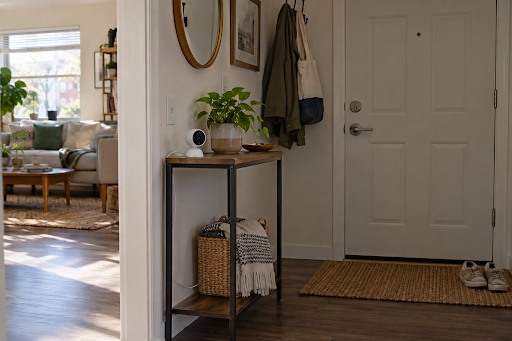
Security Camera Without Drilling – A Renter’s Checklist
A camera by the apartment door sounds simple until you look at the lease, the nearest outlet, and the hallway outside. A security camera without drilling can be a practical choice for renters, but a removable mount alone does not settle where a camera may point or whether its cable can stay out of the way. Start with the checks below before buying a bracket or peeling the backing off an adhesive strip.
Six checks before you mount a camera
A no-drill setup still needs a permitted spot, a stable base, a safe power route, and a view that respects other people. Each one is explained in the sections below.
| Check | Question to answer |
| 1. Permission | Does the lease or building policy permit a camera in this exact location? |
| 2. Surface | Can a shelf or table hold the camera steadily without blocking daily use? |
| 3. Attachment | If a mount is needed, can it be removed without marks or damage? |
| 4. Power | Is an outlet close enough for a cable route clear of doors and walkways? |
| 5. View | Does the live view show your intended area in normal lighting? |
| 6. Privacy | Could the camera record roommates, neighbors, or shared spaces unnecessarily? |
We’ll go through each of these six checks in order below, starting with confirming permission for your exact mounting location.
Check 1 – Confirm permission for the exact location
Look for clauses on cameras, fixtures, wall attachments, exterior doors, and alterations. A lease may treat a camera placed on your own furniture differently from one attached to a door frame or shared hallway wall.
Pay particular attention to the boundary between your unit and common space. A lens aimed through a peephole, out a window, or across a shared corridor may capture neighbors even when the camera itself sits indoors. Rules on recording audio and video vary by location and setting. If that is part of the plan, check applicable local rules and your building policy before turning recording on. This article is for general informational purposes only and is not legal advice.
Check 2 – Test a stable surface before buying a mount
Try a stable surface inside the unit before shopping for hardware. A bookshelf may give a higher angle while keeping the camera away from hands, pets, and bags. A windowsill is tempting, but glass reflections, curtains, and a view into neighboring homes can make it unsuitable. Set the camera down temporarily and inspect a live view in daylight and after dark before settling on the spot.
A freestanding location should have enough depth for the camera and a cable route that will not pull it toward the edge. If the table gets moved often, treat the position as temporary and repeat the viewing check after each move.
Check 3 – Judge how reversible an attachment really is
A freestanding stand or tension mount can raise a camera when the furniture is too low, but either option still needs stable contact points and permission where required. Removable adhesive depends on the finish beneath it. Old paint, textured surfaces, and humidity can all affect removal, so follow the mount maker’s instructions and avoid assuming a strip will come off cleanly.
If you’re mounting the camera to a door, door trim, painted wall, or shared space, always get explicit approval first and don’t assume a removable mount is acceptable. Never position your device where it could fall into a walkway or get in the way of a door’s normal movement.
Check 4 – Trace power from the outlet to the camera
Many indoor cameras need continuous power, so find an outlet before deciding on the camera’s final height. Wired home security cameras can be convenient on a shelf near an outlet. Route the cable along furniture or an approved surface, keep it away from door hinges and heat sources, and follow the camera maker’s power instructions.
Check 5 – Frame the entry in ordinary conditions
Next, open the live view and walk through the doorway as you normally would. Check what happens when the door opens fully, when someone stands near it, and when room lighting changes. A useful angle includes the part of your own entry you care about without taking in a neighbor’s doorway or a shared corridor.
Test the position at the times you expect to use it. A high shelf may look suitable while the room is empty yet lose sight of the door when it swings open. Small adjustments on a table often solve that problem without another mount.
Check 6 – Set privacy boundaries with the people affected
A camera inside your apartment can still point toward a shared hallway or a roommate’s private space. Inspect the entire viewing range, including any movement or saved positions, and aim only at the area you need. Discuss placement, recording times, and access to footage with roommates before leaving the camera on.
How the eufy Indoor Cam S350 fits a no-drill setup
The eufy Indoor Cam S350 can sit on a table or shelf, so renters with a stable surface near an outlet may be able to use it without attaching hardware to the apartment. That addresses the mounting problem first. Its pan and tilt viewing options can help frame an entry from inside the room when the best furniture spot is not directly opposite the door.
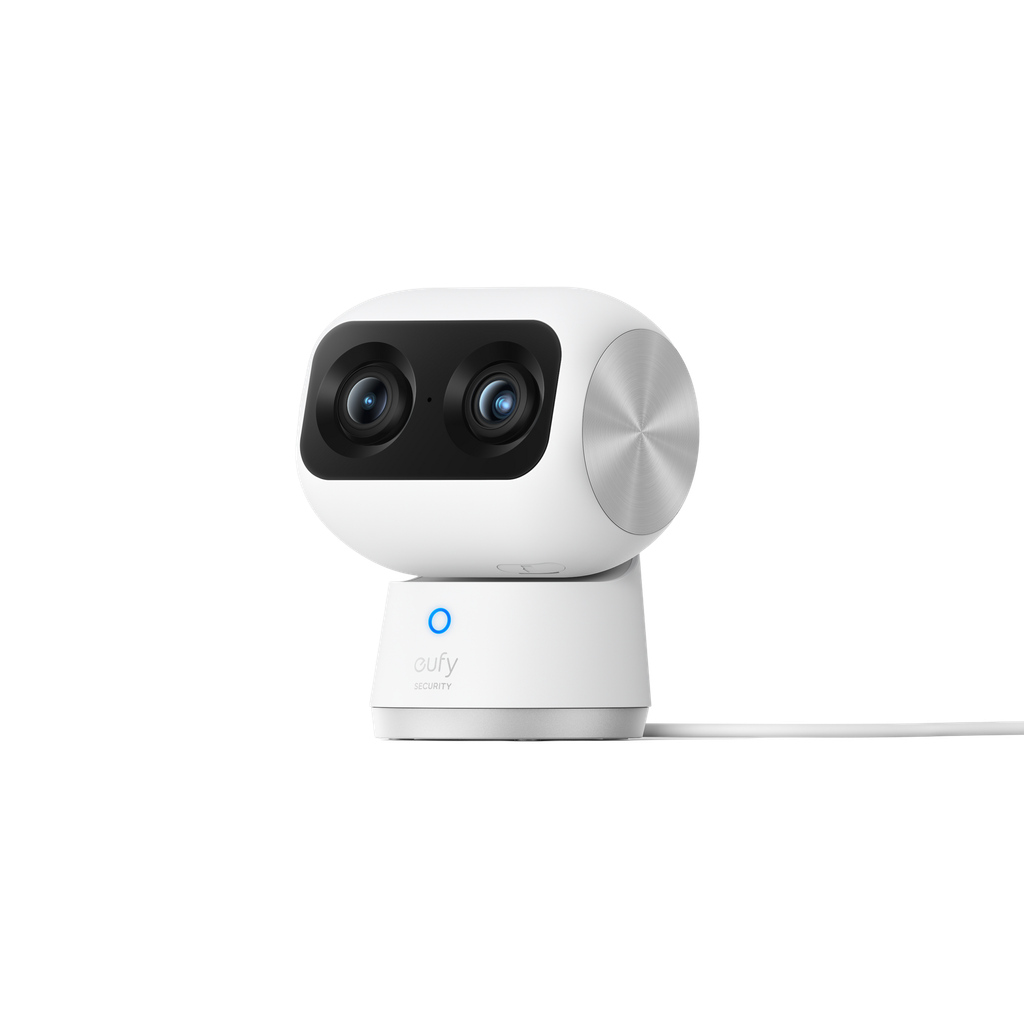
The same checks still apply: place the camera where the cable stays clear, review the full viewing range for neighboring spaces, and confirm the current installation guidance before buying. If a shelf position does not work in your apartment, compare placement and power needs across eufy security cameras. A model’s features cannot resolve a lease restriction or an unsafe cable route.
Conclusion
Work through the six checks before you choose a camera position: permission, surface, attachment, power, view, and privacy. A table or shelf may avoid mounting altogether, but the cable and camera angle still need a real test in the apartment. Choose a model only after those conditions are met, and recheck its current installation details and availability before purchase.
