
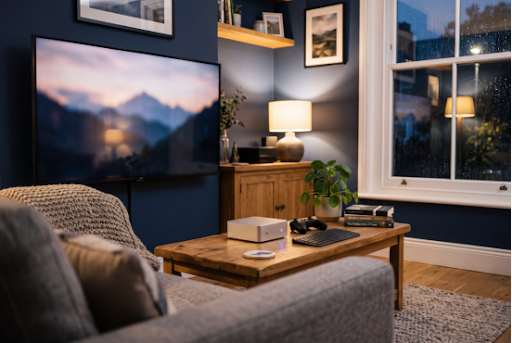
Pick up the remote in most British living rooms and you’ll find the same scene: a home screen crowded with apps, half of which now want a monthly fee, and a smart TV that felt quick three years ago but now takes its time opening iPlayer. No wonder more people are returning to an idea that looked old-fashioned a decade ago – plugging a proper computer into the telly.
The difference this time is size. Today’s mini PCs hide on the back of the TV, run almost silently and still have power to spare.
Why the living-room PC is making a comeback
Subscriptions keep creeping up, smart TV software ages faster than the screen, and most of us now have our own media – phone videos, digitised DVDs, years of family photos – with no good way to enjoy it together. Meanwhile, the beige tower under the telly is long gone. Modern mini PCs deliver desktop-class performance in a palm-sized chassis, and many use less power than a games console.
What a home media hub can do
l Catch-up and streaming: BBC iPlayer, ITVX, Channel 4 and your subscriptions, all in one place with a full web browser.
l Your own library: films, music and photos, neatly organised and playable on any screen in the house.
l Family memories: a capable mini PC handles video editing and multitasking with ease, so trimming holiday clips can happen on the sofa.
l Video calls: add a webcam and call the grandparents on the big screen. It makes a reliable daily driver for video calls and multitasking.
What to look for
| Feature | What to look for |
| Picture | HDMI 2.1 with 4K and HDR support |
| Smooth playback | Hardware decoding for HEVC and AV1 |
| Noise | Low noise at idle and during playback |
| Networking | Ethernet, plus Wi-Fi 6 or newer |
| Storage | Room for a second SSD and fast USB ports |
| Mounting | A VESA bracket in the box |
Mini PCs like the GEEKOM A9 Max show how far the category has come. It’s a compact powerhouse built for real-world performance, with an all-metal chassis engineered for sustained performance under load. Dual 40Gbps USB4 ports, two HDMI 2.1 outputs and support for up to four displays give it connection options that match premium competitors – it’s a Windows mini PC that competes with anything in its class.
Noise matters more than you might think. A study has a door; a lounge usually doesn’t. The best mini PCs stay whisper-quiet during film night and only spin their fans up when it counts, such as when a game loads or the media server converts a file. A good mini PC handles demanding workloads like these without breaking a sweat. Mount it on the back of the TV or an open shelf rather than inside a closed cabinet, where trapped heat keeps the fans busy.
Gaming from the sofa
Cloud services such as Xbox Cloud Gaming and GeForce NOW stream games from remote servers, so broadband matters more than hardware. For local play, the latest integrated graphics are more than enough for 1080p gaming in many popular titles, and for 1440p in lighter or older games. Steam’s Big Picture mode adds a console-style interface, and a Bluetooth controller pairs in seconds, so there’s no need to keep a keyboard on the coffee table just to play. Mini PCs with USB4 are also eGPU-ready for when you want to push gaming further.
Setting it up in an afternoon
1. Attach the VESA bracket, connect HDMI and, ideally, an Ethernet cable.
2. Raise Windows display scaling to around 150–200% so text is readable from the sofa, and switch on Do Not Disturb.
3. Install your streaming apps, a media player such as VLC and, if you game, Steam.
4. Use a wireless keyboard with a touchpad or an “air mouse” remote – most mini PCs don’t support HDMI-CEC, so your TV remote usually won’t work.
5. Let the mini PC sleep after an hour of inactivity and wake it with a tap on the keyboard.
For your own collection, a media server such as Plex or Jellyfin turns it into a personal streaming service. Plex is polished, though some features need a subscription; Jellyfin is free and open source. Keep films in folders named “Title (Year)” and the software fetches artwork automatically. To watch away from home, connect through a VPN rather than opening ports on your router.
A few UK-specific things to know
l The TV Licence still applies. You need one to watch or record live TV on any channel or service, or to use BBC iPlayer – a PC is no exception.
l Stick to legitimate sources. “Loaded” streaming sticks and unlicensed IPTV services are illegal, often carry security risks, and have led to prosecutions in the UK.
l Check your broadband. A single 4K stream typically needs around 15–25Mbps, so most fibre packages cope, but several streams at once soon add up.
Mini PC vs streaming stick
| Streaming stick | Mini PC | |
| Upfront cost | Lower | Higher |
| Your own media | Limited | Excellent |
| Gaming | Cloud only | Cloud, local and eGPU options |
| Set-up | Minutes | An afternoon |
| Warranty | Varies | Some brands offer three-year warranty coverage and dedicated customer support |
If all you watch is Netflix, a streaming stick is still the simplest answer. But if you want one box that streams, stores your media, plays games and handles video calls, it’s worth browsing the current range of mini PCs and matching size and power to your setup.
The bottom line
The living-room PC never really went away; it just got smaller, quieter and far more capable. For anyone tired of juggling apps or waiting on a slow smart TV, a mini PC behind the telly brings everything together. Give it an afternoon, and it could become the most-used device in the house.
