
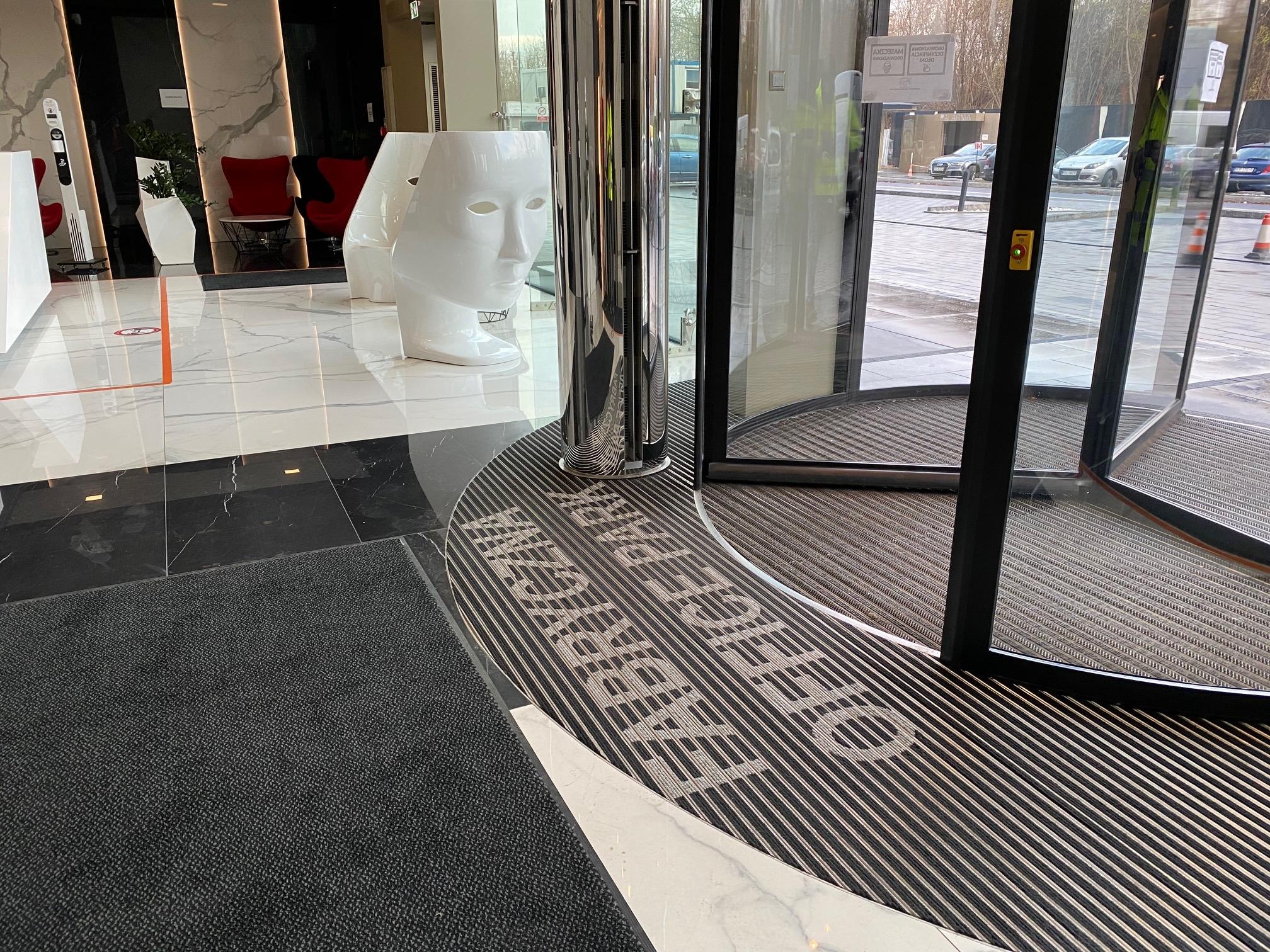
A logo entrance mat serves both as a functional facility accessory and a visual branding tool. Every day, it traps sand, dust, and moisture, which means it eventually requires thorough cleaning. However, improper maintenance can accelerate print wear or damage the mat’s backing. How should you clean it to preserve both its appearance and performance for as long as possible? Read our guide below.
The Most Common Causes of Fading and Backing Separation in Logo Mats
Print fading is not always caused by heavy foot traffic. In many cases, it results from inappropriate cleaning methods. Harsh chemicals, excessive temperatures, and aggressive scrubbing may gradually affect the appearance of the printed surface. Extended exposure to moisture can also contribute to premature wear.
The durability of the backing is influenced by washing and drying practices. Excessive moisture, aggressive detergents, and unsuitable temperatures may weaken protective layers over time. A mat should always be cleaned according to the manufacturer’s recommendations, as care requirements may vary depending on the material, printing method, and product construction.
How Detergents and Moisture Affect the Printed Surface and Backing
Not every cleaning product is suitable for personalized mats. Detergents containing aggressive ingredients can negatively affect colors, especially when used regularly. For this reason, it is advisable to choose mild cleaning agents designed for the specific material and always follow the recommended care instructions.
Limiting prolonged contact between the backing and water is equally important. If a mat remains damp for an extended period, this can adversely affect its structure and the properties of the backing layer. After cleaning, make sure there is proper moisture removal and complete drying before placing the mat back on the floor.
Safe Cleaning Methods for Personalized Mats
The cleaning method should always be adapted to the type of mat and the manufacturer’s recommendations. For routine upkeep, regular vacuuming is usually sufficient to remove sand and dust without the need for frequent wet cleaning.
For heavier soiling, wet cleaning may be used if the mat’s construction allows it. The key is to avoid excessive soaking, aggressive scrubbing, and leaving the product in damp conditions. Gentle cleaning methods are safer for both the printed design and the backing layer than frequent use of highly intensive cleaning techniques.
Hand Cleaning, Vacuuming, and Avoiding Aggressive Chemicals
Regular vacuuming should be the foundation of mat maintenance. It helps remove sand and debris that can otherwise act as abrasive particles under foot traffic. For localized stains, gentle hand cleaning with a product suitable for the material may be sufficient.
When caring for a logo mat, remember the following guidelines:
∙€€€€€€€ Vacuum the mat regularly to remove dust and sand.
∙€€€€€€€ Use mild detergents recommended for the specific material.
∙€€€€€€€ Avoid bleach, solvents, and other aggressive chemicals unless specifically approved by the manufacturer.
∙€€€€€€€ Do not scrub printed areas aggressively.
∙€€€€€€€ Allow the mat to dry completely before placing it back into service.
∙€€€€€€€ Avoid high temperatures and cleaning equipment that may damage the material or backing.
Before applying a new cleaning product, it is advisable to test it on a small, less visible area if permitted by the manufacturer. This helps reduce the risk of unwanted color changes or material damage.
When ordering entrance mats with logo, remember that a professional supplier should provide cleaning and maintenance recommendations appropriate for the product.
How to Extend the Lifespan of a Logo Entrance Mat
The durability of a mat depends not only on how it is washed but also on how it is used every day. Regular, gentle maintenance is the most effective way to protect both the printed design and the mat’s overall construction, rather than relying on occasional intensive cleaning.
It is also worth monitoring the condition of the mat. If permanent stains, print damage, or deformation appear, addressing the issue early can help prevent further deterioration. Likewise, prolonged moisture accumulation underneath the mat should be avoided.
The installation location matters as well. A mat should be selected according to the volume of foot traffic and the level of contamination at a particular entrance. A properly selected entrance mat is easier to maintain and less likely to experience premature wear.
If you are looking for a durable logo mat, explore the range offered by Unimat Factory and choose a solution suited to your facility’s requirements. It is also worth asking for cleaning and maintenance recommendations to help preserve the mat’s appearance over time.
Summary
∙€€€€€€€ Regular and gentle cleaning helps preserve print colors and maintain the condition of the backing.
∙€€€€€€€ Mild detergents and manufacturer-recommended maintenance methods are preferable to aggressive chemicals.
∙€€€€€€€ The mat should be completely dry before being placed back on the floor.
∙€€€€€€€ Vacuuming and prompt stain removal help minimize wear and extend service life.
∙€€€€€€€ Selecting a mat appropriate for traffic levels and environmental conditions also contributes to long-term durability.
FAQ
How often should a logo mat be cleaned?
A logo entrance mat should be cleaned regularly, ideally at least once per week, to prevent dirt buildup and maintain print quality. More frequent cleaning may be necessary in high-traffic environments.
Can a logo mat be machine washed?
Many personalized mats are not intended for machine washing, as this may damage both the printed design and the backing. Vacuuming and gentle hand cleaning are generally safer options. Always follow the manufacturer’s instructions.
Which cleaning products are safe for logo mats?
Mild detergents that do not contain bleach or harsh chemicals are usually the safest choice. Check the manufacturer’s maintenance recommendations before using any cleaning product.
What should I do if the backing starts to peel away?
If the backing begins to separate, avoid excessive moisture and review the cleaning products and methods used. If the issue persists, consult the manufacturer regarding possible repair or replacement options.
